2025 में Nintendo Switch 2 की कीमत में बढ़ोतरी और उसके बाद लगातार टैरिफ़ झटकों ने PC, कंसोल और मोबाइल पर गेमिंग को महंगा बना दिया है। सही फ़ोन ऐप्स सेल ट्रैक करके, विशलिस्ट देखकर और मुफ़्त-क्लेम गेम समय रहते सामने लाकर खर्च साफ़ तौर पर कम होता है। ये छह Android ऐप्स गेमिंग डील का व्यावहारिक वर्कफ़्लो कवर करते हैं: Steam विशलिस्ट, मुफ़्त गेम क्लेम, Android गेम सेल, और दो AI टूल जो स्टोर के बीच सबसे अच्छी कीमत ढूँढने में वाकई मदद करते हैं।
गेमिंग डील ऐप में क्या देखें
काम का डील ऐप तीन बातों में जुड़ता है, और ज़्यादातर में तीनों नहीं होतीं:
- असली स्टोर कवरेज जहाँ से आप खरीदते हैं। Steam, Epic, GOG, PlayStation, Xbox, Nintendo और Google Play की सेल की लय अलग है। जो ऐप सिर्फ़ एक स्टोर देखे, वह ज़्यादातर मौके छोड़ देगा।
- विशलिस्ट-चालित अलर्ट। आपकी ज़रूरत वही डील है जो उन गेम्स पर हो जिन्हें आप पहले से चाहते हैं। जब विशलिस्ट आइटम आपके लक्ष्य से नीचे जाए तब push ज़्यादा काम का है, बजाय सामान्य सेल फ़ीड के।
- ईमानदार प्राइस हिस्ट्री। 75% की छूट का मतलब नहीं अगर मूल कीमत वास्तविक न्यूनतम से चार गुना ऊपर रही हो। प्राइस हिस्ट्री दिखाने वाले ऐप नकली डील छान देते हैं।
- कम विज्ञापन और नोटिफ़िकेशन शोर। कुछ डील ऐप हर घंटे की गिरावट पर स्पैम करते हैं। ऐसा चुनें जो अलर्ट बैच करे और डू नॉट डिस्टर्ब का सम्मान करे।
त्वरित तुलना
| ऐप | सबसे अच्छा | मुफ़्त | कवरेज | Aptoide |
|---|---|---|---|---|
| Steam | विशलिस्ट अलर्ट और Steam सेल | हाँ | Steam | हाँ |
| Reddit (r/GameDeals) | क्रॉस-प्लेटफ़ॉर्म डील फ़ीड | हाँ | बड़े स्टोर | हाँ |
| Prime Video / Prime Gaming | मासिक मुफ़्त गेम | सब्सक्रिप्शन | PC | हाँ |
| डील थ्रेड बाद में पढ़ने के लिए सेव | हाँ | सभी | हाँ | |
| Microsoft Copilot | AI से क्रॉस-स्टोर प्राइस तुलना | हाँ | बड़े स्टोर | हाँ |
| Google Gemini | डील रिसर्च के लिए AI सहायक | हाँ | बड़े स्टोर | हाँ |
Android पर 2026 में गेमिंग डील के लिए सर्वश्रेष्ठ 6 ऐप्स
1. Steam — PC विशलिस्ट डील के लिए सबसे ठोस
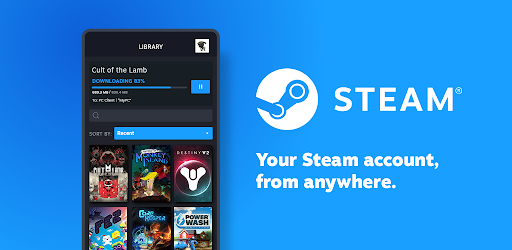
Steam मोबाइल ऐप बिना रोज़ डेस्कटॉप क्लाइंट खोले विशलिस्ट गेम पर Steam सेल पकड़ने का सबसे आसान तरीका है। डेस्कटॉप या वेब पर विशलिस्ट बनाएँ, Android पर Steam इंस्टॉल करें — जब कोई विशलिस्ट टाइटल सस्ता हो या डिस्काउंट इवेंट में आए तब push आता है। ऐप में वह प्राइस हिस्ट्री ग्राफ़ भी है जो Steam धीरे-धीरे रोल आउट कर रहा है, इसलिए 50% की छूट ऑल-टाइम लो के साथ साफ़ दिखती है।
चैट, फ़ैमिली शेयरिंग और रिमोट इंस्टॉल साइड लाभ हैं; असली कहानी विशलिस्ट अलर्ट की है।
कमज़ोर पक्ष: सिर्फ़ Steam। नोटिफ़िकेशन भरोसेमंद हैं लेकिन लक्ष्य प्रतिशत पर ट्यून नहीं होते; कोई भी छूट अलर्ट देती है। स्टोर ब्राउज़ करने का मोबाइल UI चलता है पर डेस्कटॉप से धीमा है।
कीमत:
- मुफ़्त।
प्लेटफ़ॉर्म: Android, iOS, डेस्कटॉप, वेब।
निष्कर्ष: किसी भी PC गेमर के लिए ज़रूरी जिसकी Steam पर विशलिस्ट हो।
2. Reddit — सबसे भरोसेमंद क्रॉस-प्लेटफ़ॉर्म डील फ़ीड
Reddit r/GameDeals (और छोटे r/FreeGameFindings, r/AndroidGaming, r/PSDeals, r/XboxDeals) के ज़रिए गेमिंग डील का सबसे स्थिर क्रॉस-प्लेटफ़ॉर्म स्रोत है। कम्युनिटी डील को ऊपर वोट करती है, नकली सेल फ़्लैग करती है और मुफ़्त गिवअवे मिनटों में पोस्ट करती है। Android ऐप में सबरेडिट नोटिफ़िकेशन से तब डाइजेस्ट मिल सकता है जब कोई लोकप्रिय डील कम्युनिटी में उछले।
डील से जुड़े सब्स को मिलाने वाला multireddit सुझाया गया सेटअप है: एक फ़ीड, सभी स्टोर, वोट से रैंक।
कमज़ोर पक्ष: Reddit ऐप के UI बदलावों से पुराने यूज़र दूर हुए; कुछ थर्ड-पार्टी क्लाइंट पसंद करते हैं। बड़े सेल इवेंट के दौरान नोटिफ़िकेशन ज़्यादा हो सकती हैं।
कीमत:
- विज्ञापनों के साथ मुफ़्त।
- Reddit Premium: लगभग $5.99/महीना, विज्ञापन हटते हैं।
प्लेटफ़ॉर्म: Android, iOS, वेब।
निष्कर्ष: सबसे अच्छा क्रॉस-प्लेटफ़ॉर्म डील फ़ीड। ज़रूरी सब्स लें और डाइजेस्ट चालू रखें।
3. Prime Video — Prime Gaming से मासिक मुफ़्त गेम
Prime Video वह Android ऐप है जिससे ज़्यादातर लोग Amazon Prime की स्ट्रीमिंग साइड देखते हैं; Prime Gaming लाभ (मासिक मुफ़्त गेम, इन-गेम लूट, घूमते मुफ़्त क्लेम) उसी Amazon खाते पर दिखता है। Android पर अलग Prime Gaming ऐप नहीं है; क्लेम फ़्लो मोबाइल ब्राउज़र में चलता है और नोटिफ़िकेशन Amazon Shopping या Prime Video से आते हैं।
जो सदस्य पहले से Prime दे रहे हैं, उनके लिए मासिक मुफ़्त PC गेम फ़ोन से एक नोटिफ़िकेशन पढ़ने जितने समय में क्लेम हो जाते हैं।
कमज़ोर पक्ष: Android पर स्टैंडअलोन Prime Gaming ऐप नहीं (क्लेम अभी भी ब्राउज़र)। PC गेम Amazon Games लॉन्चर में जाते हैं, Steam या Epic में नहीं। कैटलॉग रोटेशन कभी असमान रहता है।
कीमत:
- Amazon Prime के साथ: US में Prime लगभग $14.99/महीना।
प्लेटफ़ॉर्म: Android, iOS, वेब (क्लेम), Amazon Games लॉन्चर (प्ले)।
निष्कर्ष: अगर Prime पहले से बजट में है तो उपयोगी। मासिक मुफ़्त गेम को स्ट्रीमिंग के ऊपर बोनस मानें।
4. Pocket — डील थ्रेड बाद में पढ़ने के लिए सेव करें
Pocket read-later ऐप है जो डील वर्कफ़्लो टूल की तरह काम करता है। Reddit डील थ्रेड, अगली Steam सेल पर ब्लॉग पोस्ट और बंडल डीप-डाइव सेव करें, फिर लिंक खोए बिना ट्रेन में पढ़ें। टैग से सेव को “सेल पर खरीदें” चिह्नित किया जा सकता है ताकि बैकलॉग सिर्फ़ जानकारी न रह जाए।
ब्राउज़र एक्सटेंशन और Android शेयर शीट से कैप्चर तेज़ होता है।
कमज़ोर पक्ष: Pocket खुद कीमत ट्रैक नहीं करता; यह खोज स्रोतों पर एक परत है। Premium टियर पुरानी मुफ़्त सुविधाओं पर ज़्यादा कस रहा है।
कीमत:
- Discover में विज्ञापनों के साथ मुफ़्त।
- Premium: लगभग $4.99/महीना या $44.99/साल।
प्लेटफ़ॉर्म: Android, iOS, वेब, ब्राउज़र एक्सटेंशन।
निष्कर्ष: डील पोस्ट और बंडल रिव्यू एक ही खोजी जगह रखने के लिए सही विकल्प।
5. Microsoft Copilot — क्रॉस-स्टोर प्राइस तुलना के लिए सबसे उपयोगी AI
Microsoft Copilot जैसे सवालों का जवाब दे सकता है: “Baldur’s Gate 3 Steam, GOG और Epic पर अभी क्या कीमत है, क्या क्षेत्रीय छूट से कोई सस्ता है?” — स्रोतों के साथ उपयोगी सारांश। सटीकता 100% नहीं, इसलिए लिंक खोलकर जाँच ज़रूरी; पर त्वरित “कहीं सेल पर है?” के लिए चार टैब से तेज़ है।
वॉइस मोड फ़ॉलो-अप (“$30 से नीचे गिरने पर याद दिलाओ”) कनेक्टेड रिमाइंडर एक्सटेंशन से संभालता है।
कमज़ोर पक्ष: स्रोत कभी घंटों पुराने हो सकते हैं। US, EU और UK के बाहर क्षेत्रीय प्राइस डेटा पतला है। Copilot चैट-फ़र्स्ट ऐप है, डील डैशबोर्ड नहीं।
कीमत:
- ज़्यादातर सुविधाओं के साथ मुफ़्त।
- Copilot Pro: लगभग $20/महीना उन्नत मॉडल के लिए।
प्लेटफ़ॉर्म: Android, iOS, वेब, Windows।
निष्कर्ष: स्टोरों के बीच यह जाँचने में उपयोगी दूसरी राय कि डील वाकई डील है या नहीं।
6. Google Gemini — डील रिसर्च और बंडल गणना के लिए उपयोगी AI
Google Gemini Copilot जैसे ही डील-रिसर्च सवालों का जवाब देता है और Workspace जोड़ता है अगर बजट या विशलिस्ट Google Sheets में है। पूछें: “वर्तमान Humble Choice का सार दें और बताएँ कौन से गेम OpenCritic पर 80 से ऊपर हैं” — Gemini बंडल सामग्री को रिव्यू डेटा से जोड़ता है। एक बार के “यह बंडल वार्थ है?” फ़ैसले के लिए फ़ोरम थ्रेड पढ़ने से तेज़ है।
Android Auto में वॉइस मोड उसी सवाल को कम्यूट के दौरान हैंड्स-फ़्री चेक में बदल देता है।
कमज़ोर पक्ष: Copilot जैसी ही सावधानियाँ। लाइव प्राइस हमेशा ताज़ा नहीं। कभी-कभी Gemini पैकेज सामग्री गलत बताता है — स्रोत से तुरंत मिलान करें।
कीमत:
- ज़्यादातर सुविधाओं के साथ मुफ़्त।
- Google AI Pro: लगभग $19.99/महीना।
प्लेटफ़ॉर्म: Android, iOS, वेब।
निष्कर्ष: अगर आप पहले से ही Google इकोसिस्टम में हैं तो डील रिसर्च के लिए उपयोगी सहायक।
गेमिंग डील स्टैक कैसे सेट करें
- PC के लिए: Steam (विशलिस्ट अलर्ट) + Reddit (r/GameDeals) + वैकल्पिक Prime के ज़रिए Prime Gaming क्लेम।
- कंसोल के लिए: Reddit सबरेडिट (r/PSDeals, r/XboxDeals, r/SwitchDeals) + प्लेटफ़ॉर्म का अपना ऐप।
- Android गेम्स के लिए: सेल राउंडअप के लिए Reddit (r/AndroidGaming) + Play Store की अपनी डील पंक्ति।
- रिसर्च के लिए: खरीदने से पहले Microsoft Copilot या Google Gemini से स्टोरों की तुलना।
- वर्कफ़्लो के लिए: लंबे डील लेख ट्रेन के लिए Pocket में सेव करें।
अक्सर पूछे जाने वाले सवाल
गेम डील के लिए सबसे अच्छा ऐप कौन सा है?
Steam विशलिस्ट वाले PC गेमर्स के लिए आधिकारिक Steam ऐप सबसे ज़्यादा सिग्नल देता है। क्रॉस-प्लेटफ़ॉर्म कवरेज के लिए Reddit (r/GameDeals और संबंधित) सबसे भरोसेमंद फ़ीड है। दोनों मिलाकर सबसे चौड़ा कवर मिलता है।
Android पर Steam सेल प्राइस कैसे ट्रैक करें?
Steam ऐप इंस्टॉल करें, साइन इन करें, और डेस्कटॉप या वेब क्लाइंट पर विशलिस्ट में गेम जोड़ें। विशलिस्ट आइटम सेल पर push भेजते हैं। ऐप में प्राइस हिस्ट्री ग्राफ़ भी है जिससे पता चलता है कि मौजूदा छूट वास्तव में अब तक के न्यूनतम के करीब है या नहीं।
क्या Prime Gaming के मुफ़्त गेम वार्थ हैं?
अगर आप पहले से Amazon Prime दे रहे हैं, तो हाँ। कैटलॉग हर महीने घूमता है और सदस्यता में कई PC गेम शामिल होते हैं। कुछ फ़र्स्ट-पार्टी या इंडी हैं, पर बड़े रिलीज़ भी नियमित दिखते हैं। PC पर Amazon Games लॉन्चर से क्लेम होता है।
क्या Android पर मुफ़्त “is there any deal” ट्रैकर है?
IsThereAnyDeal वेबसाइट के Play Store पर कम्युनिटी-बिल्ट Android क्लाइंट हैं; आधिकारिक सेवा वेब-फ़र्स्ट है और डेवलपर का कोई आधिकारिक Android ऐप नहीं। ज़्यादातर उपयोगकर्ताओं के लिए आधिकारिक Steam ऐप + Reddit सबरेडिट वही ज़मीन कवर करते हैं बिना अलग ट्रैकर के।
{/* FAQPage schema: generate JSON-LD from the Q&A pairs above before publishing */}